

Here is how Slidecrew works: each event has its own portal, with a programme track and a file track that come together during the event.
Short answer: You need a Slidecrew account and access to an event portal. Use a modern browser for the portal; Web Apps need Chrome or Edge. Devices running the Slidecrew App Launcher need Windows 11 (64-bit) or macOS 15.5 and above, plus internet access during setup and throughout the event. The sections below show how the parts fit together.
How a Slidecrew event is organised
An event portal holds its programme, files, users and visual styles. Your personal account can connect to more than one event, and each event has its own portal.
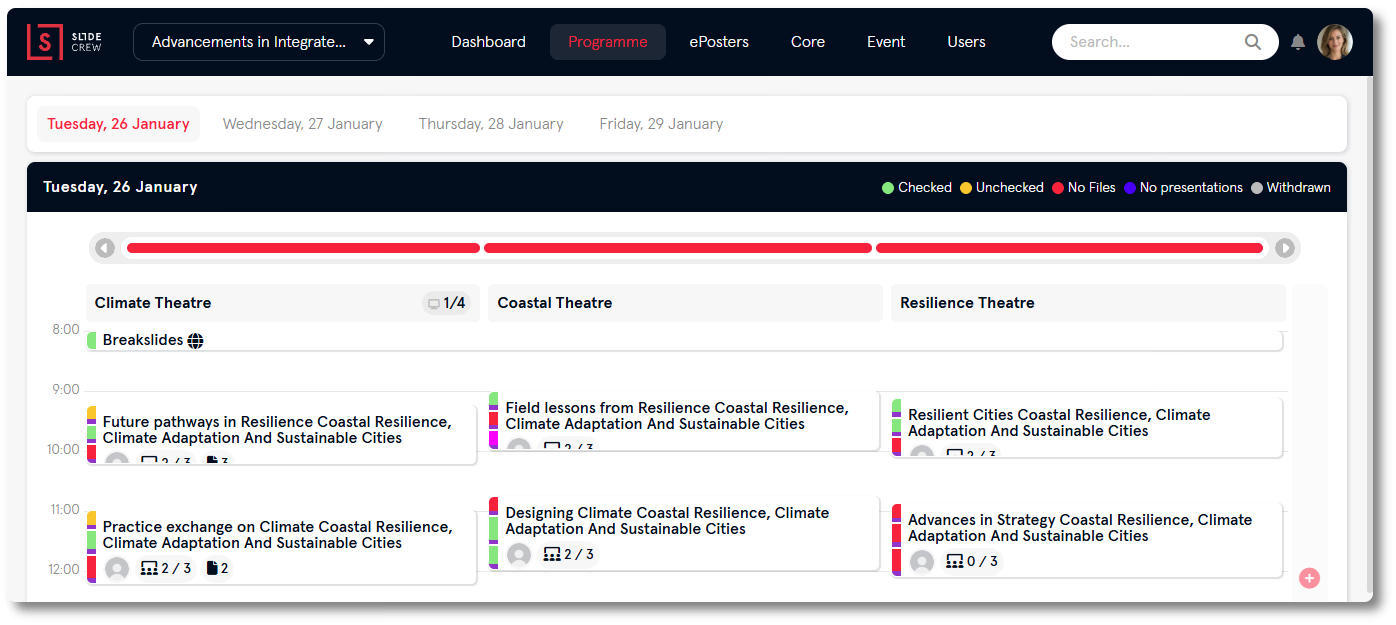
The programme is the event calendar. It shows rooms and sessions by event day. Sessions contain presentations, and files attach to presentations. Users sit alongside this structure: staff users access the portal, while attendee-level users such as speakers, moderators and submitters use personal pages and event apps. Styles set the event’s visual theme and can apply to the whole event, a room, a session or a device.
How the Programme and File tracks work together
The Programme track is the event schedule; the File track follows presentation files from submission through on-site delivery and, optionally, publication. They run in parallel and meet on the Programme page, where each session shows its schedule and the file status of its presentations.
How ePosters fit into the event
ePosters follow a similar structure to presentations: categories take the place of sessions, and ePosters take the place of presentations. Their files go through a poster converter and appear in the ePoster App. ePosters have a separate item in the top menu and are not limited to an event day.
What you need to use Slidecrew
You need a Slidecrew account and access to an event portal. The portal works in a current version of Chrome, Edge, Firefox or Safari. Web Apps require a Chromium-based browser: Chrome or Edge. Firefox and Safari are not supported for Web Apps.
For on-site use, install the Slidecrew App Launcher on devices running a Conference Room App, Speaker Ready Room App or certain display screen options. The App Launcher supports Windows 11 (64-bit) and macOS 15.5 and above. After you create the event, the Tools widget on the Dashboard displays the download links.
All devices running the App Launcher need internet access during setup and throughout the event.