

If a Speaker Ready Room check-in is not working as expected, use the symptom below to find the cause and next step.
Short answer: A QR code redirect means an enabled Advance Workflow check found a file issue. Station number -1 comes from a Device Name with no number. For badge login, check Badge login and the scanner. For a missing file, check Core → Files, network and download status; for an unchecked file, check Set file checked on close.
A QR scan redirects the speaker to the welcome desk
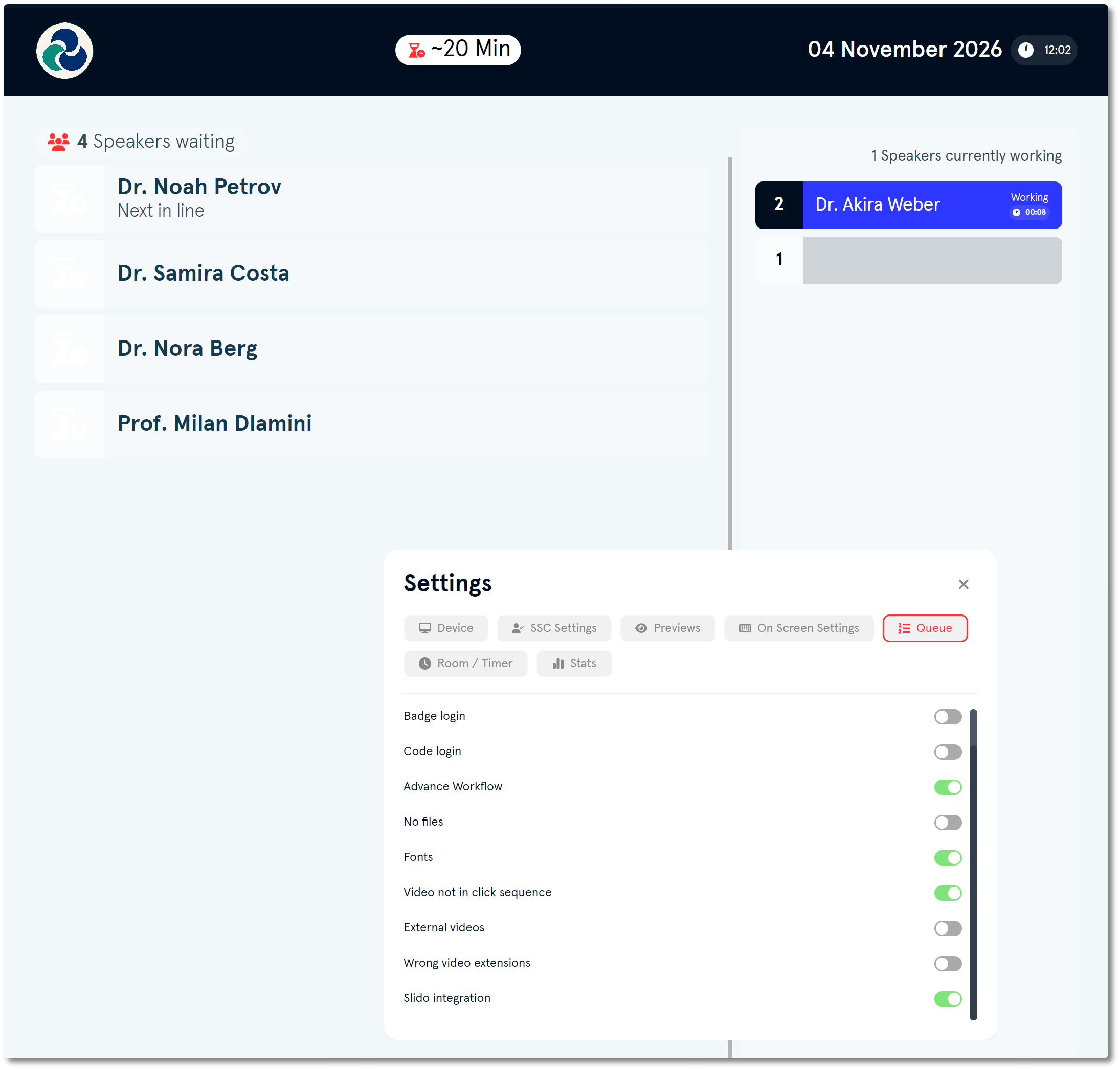
An enabled Advance Workflow check found a file issue. Check the speaker’s file status in the portal or on the Speaker Overview Page, then resolve the issue before the speaker continues. If the event does not use that check, disable it under Settings → Queue on the Queue screen device.
The station shows number -1 (minus one)
The station number comes from a number in the device’s Device Name. In the portal, open the Devices tab and change the name to include the correct station number, for example Station 3. The App Launcher reflects the change after reconnecting.
The speaker cannot log in with a badge
Check that Badge login is enabled in the station settings and that a compatible barcode scanner is connected to the station device. See How do I set up a Speaker Ready Room check-in station and speaker login? for station login settings.
The speaker’s file is missing at the station
First check that the file appears under Core → Files. Then check the station’s network connection and file download status.
A file is still unchecked after the speaker logs out
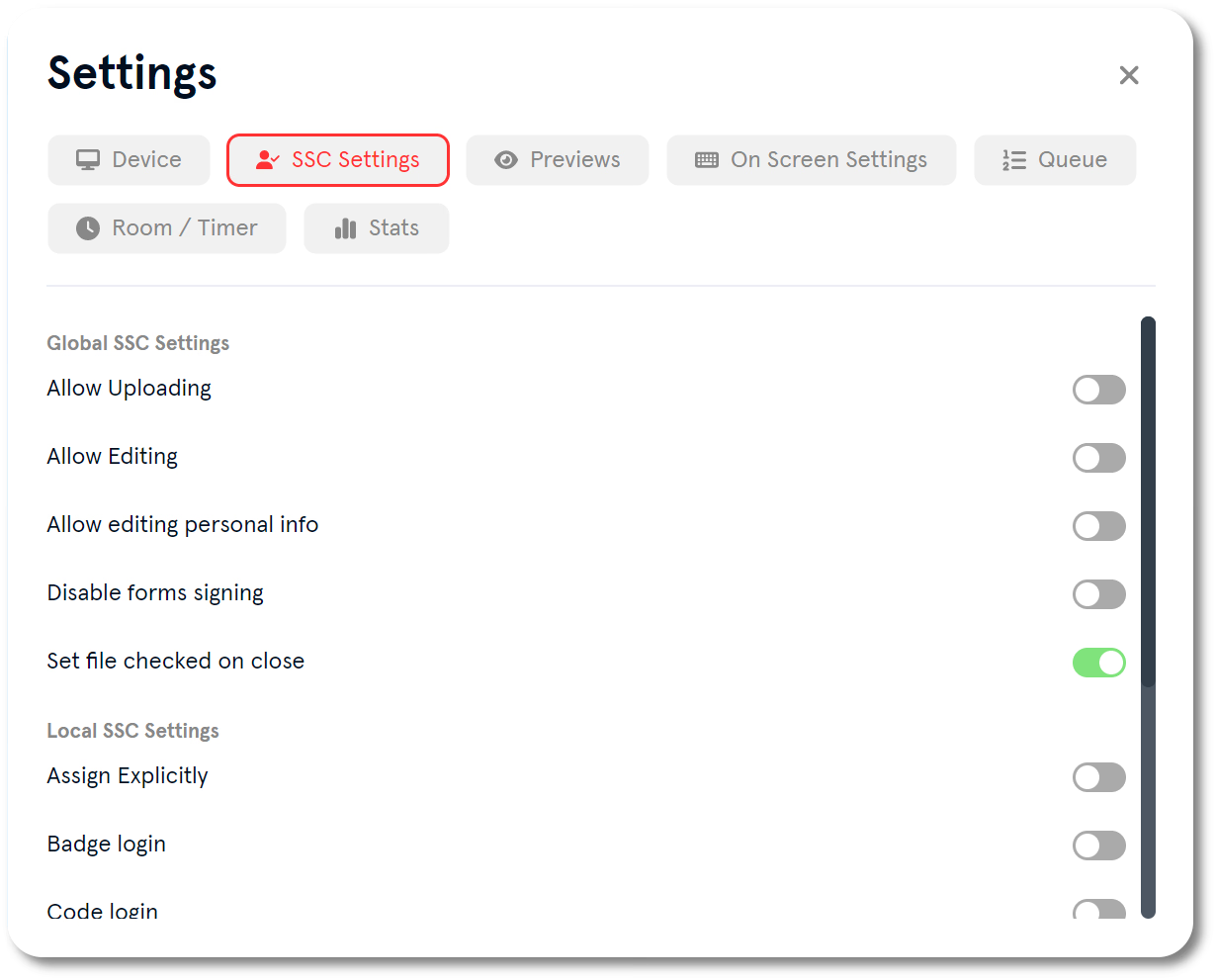
When the speaker logs out, files are marked as checked if Set file checked on close is enabled. Check this setting in Global SSC Settings in the App Launcher. For the station settings path, see How do I set up a Speaker Ready Room check-in station and speaker login?. You can also mark the file as checked manually from the Files list or the file card’s ⋮ menu.
Related guides
- How do I set up a Speaker Ready Room check-in station and speaker login? → Set up the check-in station and its login options
- How do I set up the Speaker Ready Room queue screen and manage the queue? → Set up the Speaker Ready Room queue
- Organiser Manual → Full Organiser Manual reference