

You can export your Slidecrew programme as a spreadsheet and reuse its rooms, sessions, presentations and speakers in another event.
Short answer: Open Event → Exports and choose a spreadsheet under Event Info → Full Export. Keep Slidecrew IDs when updating the same event. To copy programme data into another event, remove every column ending in Slidecrew ID, keep external IDs, adjust the programme details, then import and check the result.
How do I export the programme spreadsheet?
Go to Event → Exports, find Full Export under Event Info, and choose the spreadsheet option you need.
| Export option | What it contains |
|---|---|
| Spreadsheet | Exports the current programme in the spreadsheet layout used by the import tool. |
| Spreadsheet with custom data | Exports the same programme spreadsheet, with custom data field values included. |
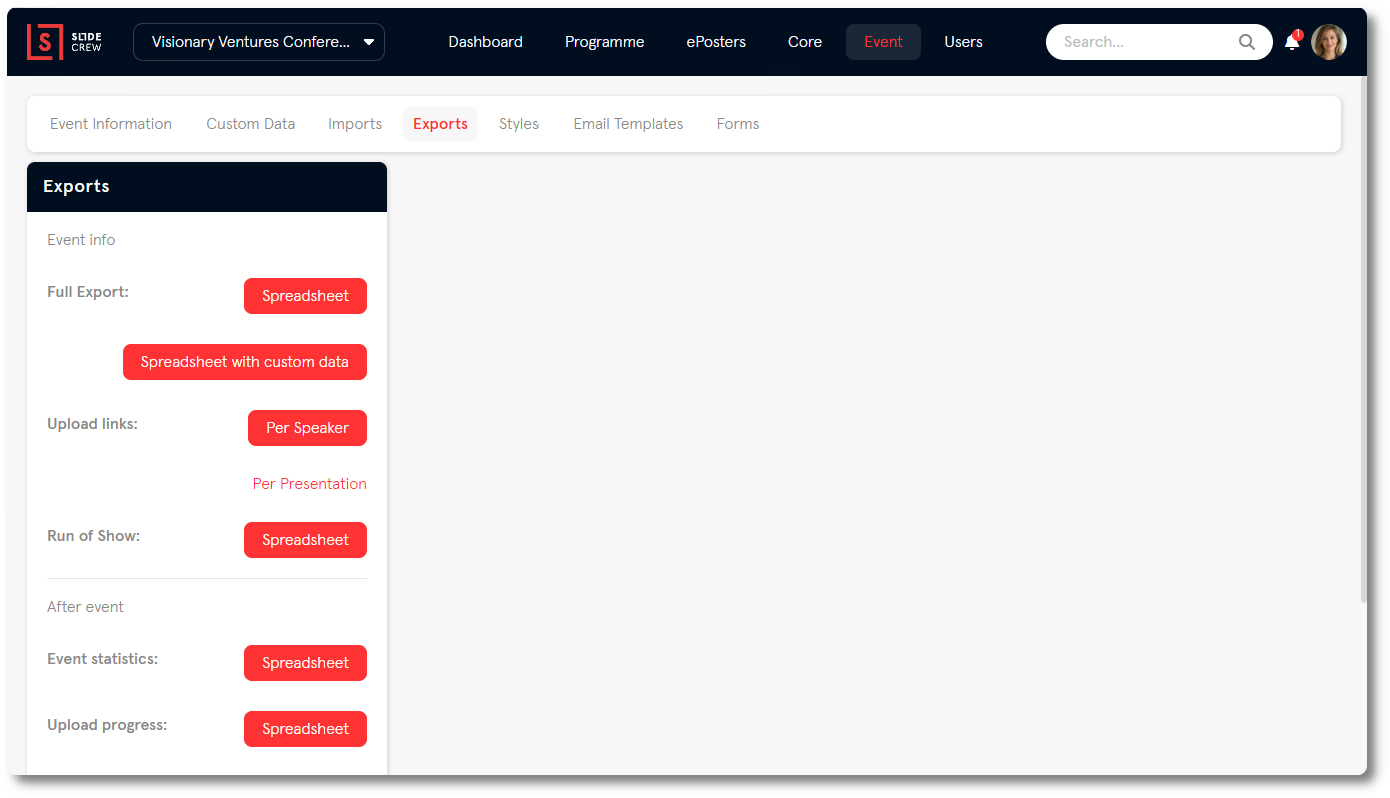
Both options use the programme layout expected by the import tool. The export includes each record’s Slidecrew ID. If you’re preparing an update for the same event, keep those IDs with their records.
How do I copy the programme into another event?
You need to remove the original event’s Slidecrew ID columns before importing the spreadsheet into another event. Those IDs belong to the original event, so the import tool cannot match them in a different event.
This method copies programme data, but does not copy files. Contact our support team before copying ePosters, custom data values, submitters or moderators to another event.
- Export the original event’s programme using the options above.
- Put the rows you want to reuse into a new spreadsheet.
- Delete every column whose heading ends in Slidecrew ID. Keep the external ID columns.
- Adjust the session dates, times and room names for the new event.
- Import the spreadsheet into the new event, checking each column mapping. For the import steps, see How do I import my programme into Slidecrew from a spreadsheet?.
- Export the new event’s programme and check the copied records.
Related guides
- How do I import my programme into Slidecrew from a spreadsheet? → Upload the prepared spreadsheet and map its columns
- Organiser Manual → Organiser Manual, including programme import and export instructions